Step 1: Log in to the ODW Platform.
Step 2: Click the profile icon in the top-right corner of the screen, then select My Account.
Step 3: From the account menu, select Membership.
Step 4: Select the membership plan you would like to switch to. Click the Upgrade or Downgrade button below your selected plan and complete the checkout process.
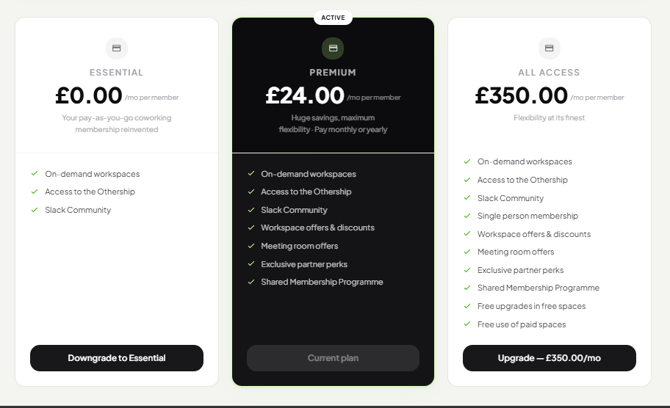
That's it! Your membership will be switched, giving you access to the benefits and perks of your new plan. Please note that your current plan will be cancelled immediately when you upgrade.